How it works
From your coach's post to a new PR, in one loop.
Three steps, the same every day. Nothing to type set by set, nothing to sync by hand.
01 · Paste
Copy the workout as your coach wrote it.
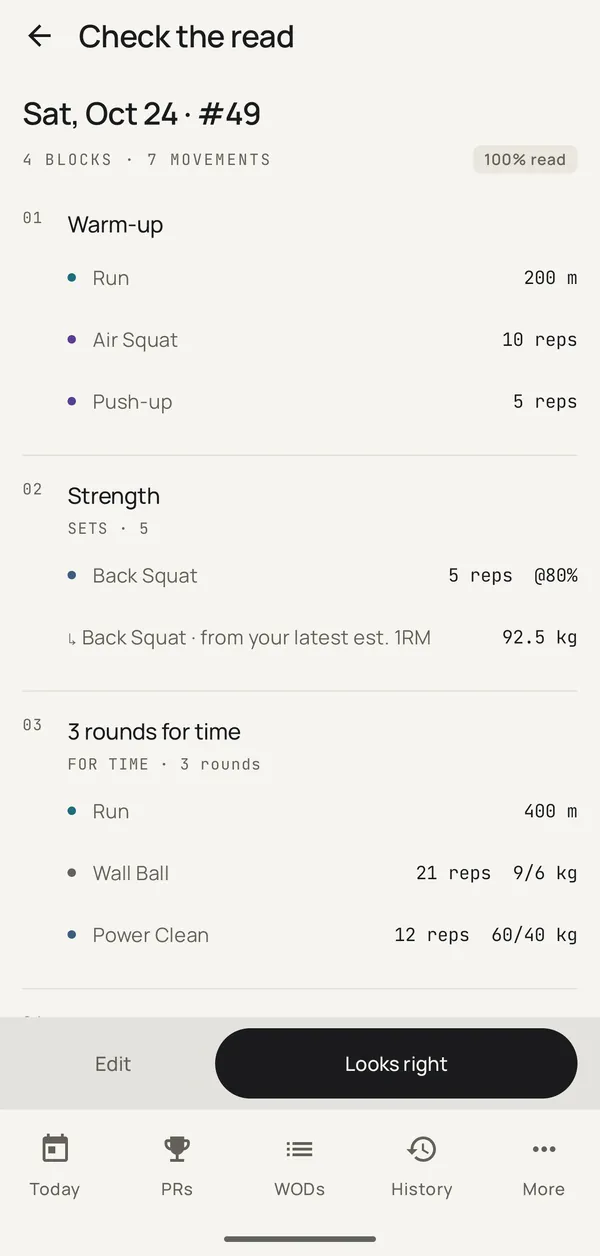
Paste it into Everpace and tap Read it. You get blocks, movements, reps, loads and the format: sets, EMOM, AMRAP, for time, with the time cap. Percentages become a load from your own latest max, tested or estimated from your sets, in kg or lb. Check the read, tap Looks right, then Save and send to watch.
What it reads in the video
200 m run
10 air squats
5 push ups
Run · 200 m
Air Squat · 10 reps
Push-up · 5 reps
5 sets
5 back squats @ 80%
Back Squat · 5 reps @80%
→ 92.5 kg from your latest est. 1RM
3 rounds for time
400 m run
21 wall balls 9/6 kg
12 power cleans 60/40 kg
Run · 400 m
Wall Ball · 21 reps · 9/6 kg
Power Clean · 12 reps · 60/40 kg
5 min easy row
5 min easy row, kept as written
4 blocks · 7 movements · 100% read. EMOM, AMRAP and intervals read the same way.
A line it can't read stays as text under Not understood, so nothing your coach wrote is lost.
02 · Train
Send it to the watch. Then just train.
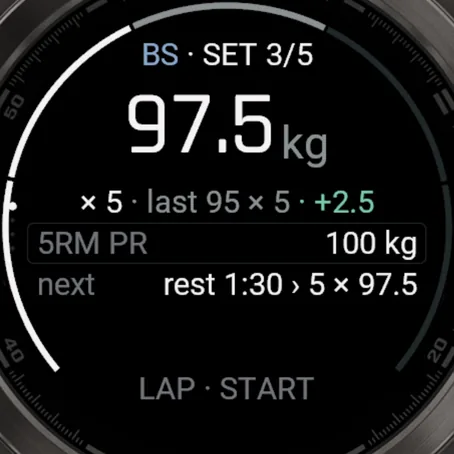
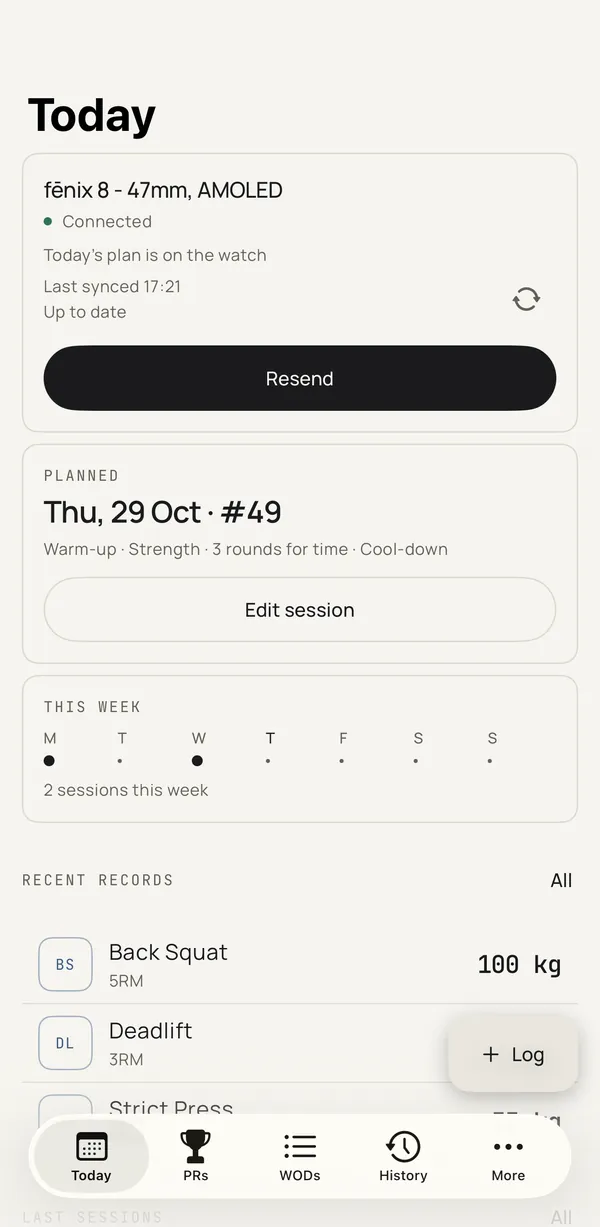
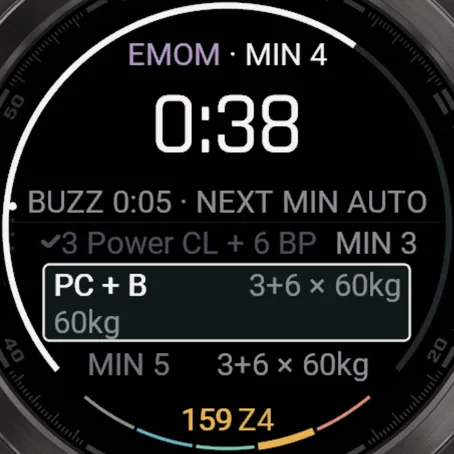
Save and send to watch puts today's plan on your Garmin. Open Everpace on the watch and tap Start: the clock, the round, the next movement and the weight are all there. Press LAP when a set is done.
- Heart rate the whole way, recorded per part
- Saved in Garmin Connect too, with a lap for every part and set
- The plan lives on the watch, so your phone can stay in your bag
03 · Keep
Open your phone. It's all there.
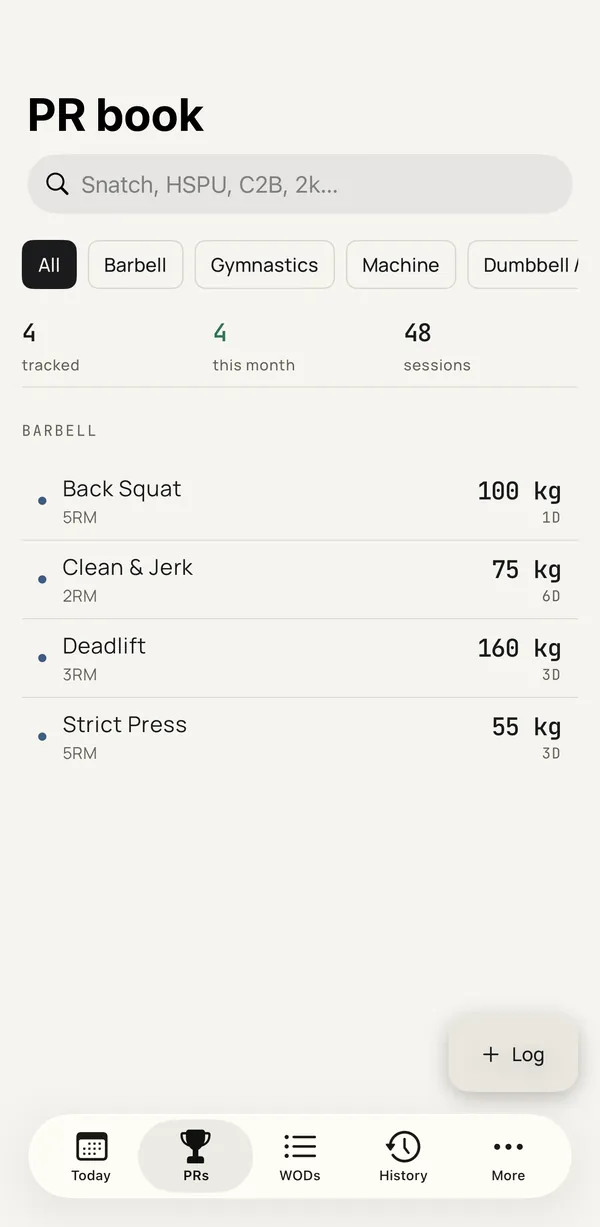
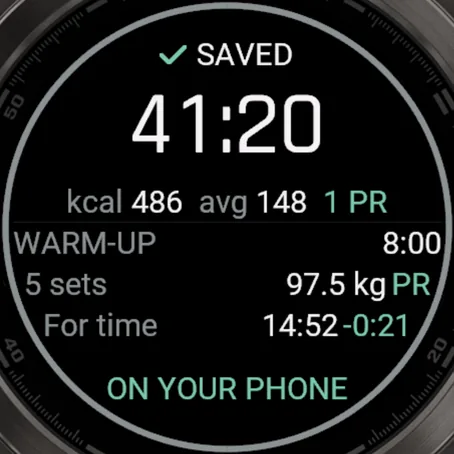
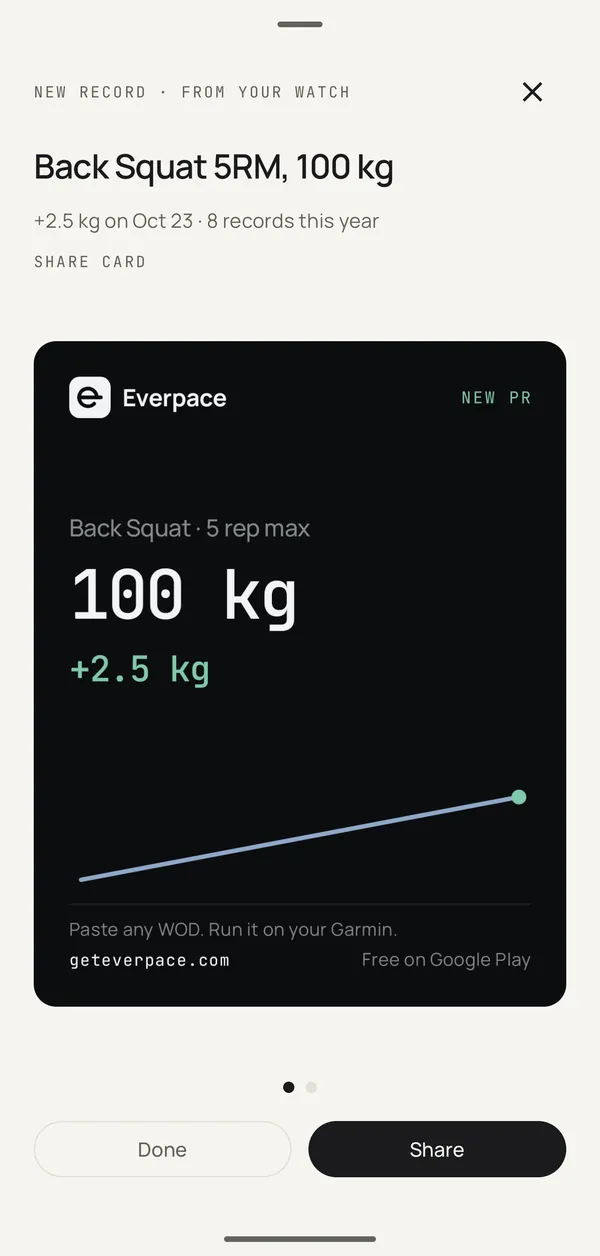
The finished session comes over from the watch: every set, time and heart rate. New records are marked, and each benchmark lands next to your earlier attempts. On Android it arrives in the background; on iPhone, open Everpace after training.
No watch today? Log the results on the phone instead; records and history work the same.
Set up once, then just paste.
The phone app, the watch app, then your first workout. About five minutes.
Full setup guide →Get the phone app
Free on Android. Everything starts on the phone.
 iPhoneComing soon
Add it to your Garmin
Free in the Connect IQ Store. Garmin Connect must be on the same phone.

Connect your watch
Open Everpace. Connect your watch checks Garmin Connect, your watch and the watch app, and shows what's missing.
Send today's workout
On Today, tap Create today's training, paste the workout, tap Read it, then Save and send to watch.