Everpace for Garmin
Your gym's WOD, on your wrist.
Built for the wrist, between sets: big numbers you can read mid-burpee, one button per set, and the weight you lifted last time before you lift.
Free, with no limit on what you send. Needs the Everpace phone app (Android today; iPhone coming soon) and Garmin Connect on the same phone.
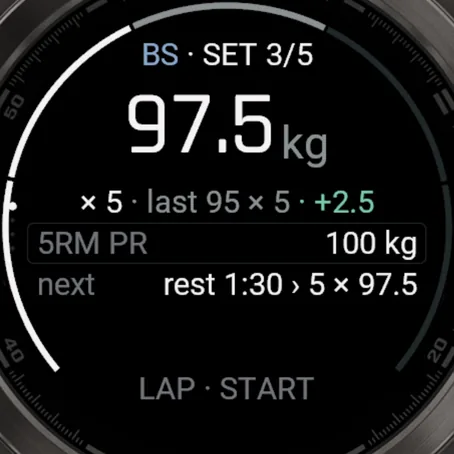
Set 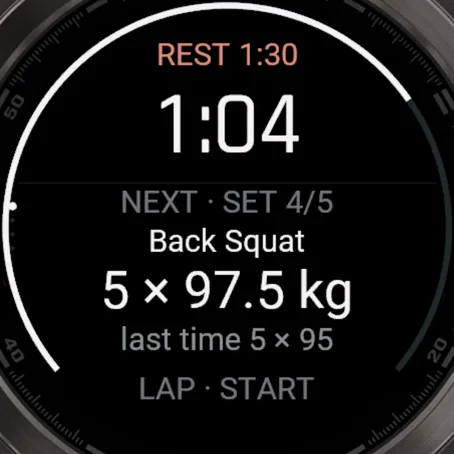
Rest 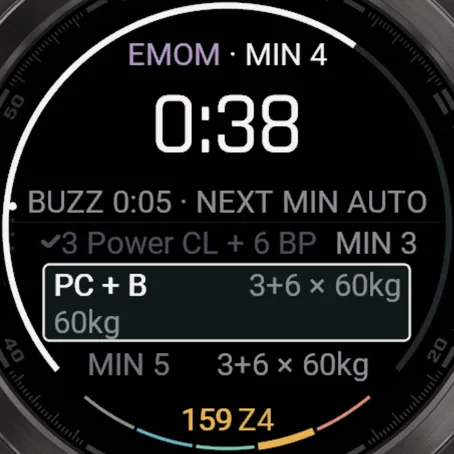
EMOM 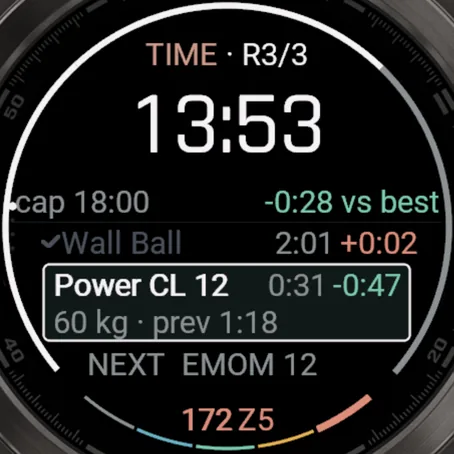
For time 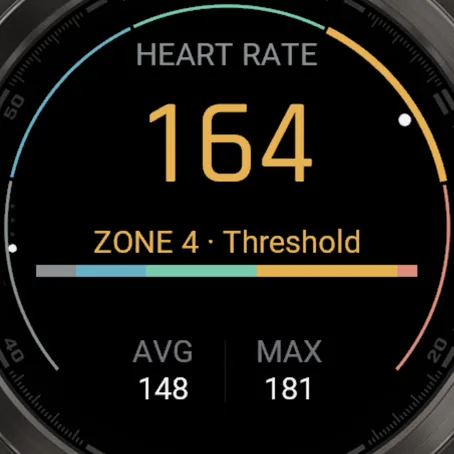
Heart rate 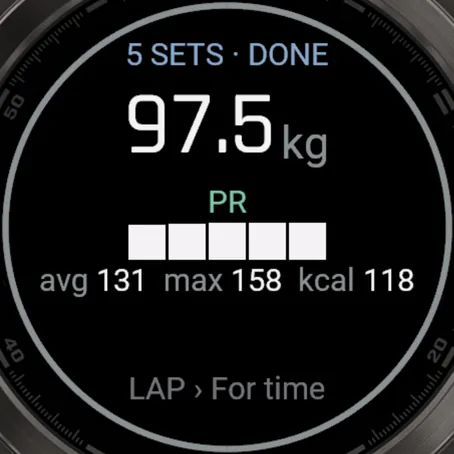
Part done
Sets, EMOMs, AMRAPs, for time: the watch runs every one.
Sets
Weight and reps for each set, with last time and your PR beside them. Change a set from the START menu.
Rest & intervals
Rest counts down with the next set and its load. Work and rest windows get their own countdowns.
EMOM & E2MOM
This minute's work, the next one, and a buzz before the minute turns.
AMRAP
Press LAP at the end of each round. At the cap, add the extra reps. The ring shows the time left.
For time
Rounds, chippers and building sets, with the time cap and your pace against your best attempt at the same WOD.
Heart rate
From the wrist the whole session, with the live zone on screen, saved per part.
Garmin Connect
Every workout is also saved as an activity in Garmin Connect, with a lap for every part and set.
Quick mode
A workout timer on the watch that works without the phone.
Supported watches
35Garmin watches today · 52 sizes and editions, as listed in the Connect IQ Store
Yours not on the list? Tell us which one →
fēnix
13
- E
- 7
- 7S
- 7X
- 7 Pro
- 7S Pro
- 7X Pro
- 8 43/47 mm
- 8 Pro 47 mm
- 8 Solar 47/51 mm
- 9 43/47 mm
- 9 Pro 43/47/51 mm
- 9 Pro Solar 47/51 mm
epix
2
- Gen 2
- Pro Gen 2 42/47/51 mm
Forerunner
11
- 70
- 165
- 170
- 255
- 255S
- 265
- 265S
- 570 42/47 mm
- 955
- 965
- 970
Venu
3
- 3
- 3S
- 4 41/45 mm
vívoactive
2
- 5
- 6
Instinct
2
- 3 AMOLED 45/50 mm
- Crossover AMOLED
Enduro & MARQ
2
- Enduro 3
- MARQ Gen 2
Music and no-Wi-Fi editions included.
How the phone and the watch stay in step
No signal in the gym is fine. The watch keeps today's plan and your results until the phone collects them.
Phone watch
Sent before you train
Save and send to watch sends today's plan through Garmin Connect. The watch keeps it, so it runs with no signal.
On the watch
Kept until it's saved
A finished workout stays on the watch until the phone has saved it.
Watch phone
Collected when you open the app
The phone asks the watch for anything new, saves it, then tells the watch it's safe to clear. On Android it also checks every 15 minutes in the background.
Set up once, then just paste.
The phone app, the watch app, then your first workout. About five minutes.
Watch not found? Setup guide →Get the phone app
Free on Android. Everything starts on the phone; the watch app gets its plans from it.
 iPhoneComing soon
Add it to your Garmin
Free in the Connect IQ Store, or search "Everpace" in the Connect IQ Store app. Garmin Connect must be on the same phone.

Connect your watch
Open Everpace. Connect your watch checks Garmin Connect, your watch and the watch app, and shows what's missing.
Send today's workout
On Today, tap Create today's training, paste the workout, tap Read it, then Save and send to watch. On the watch, open Everpace and tap Start.